Add clients and addresses
Add clients, their properties, gate codes and the map pin.
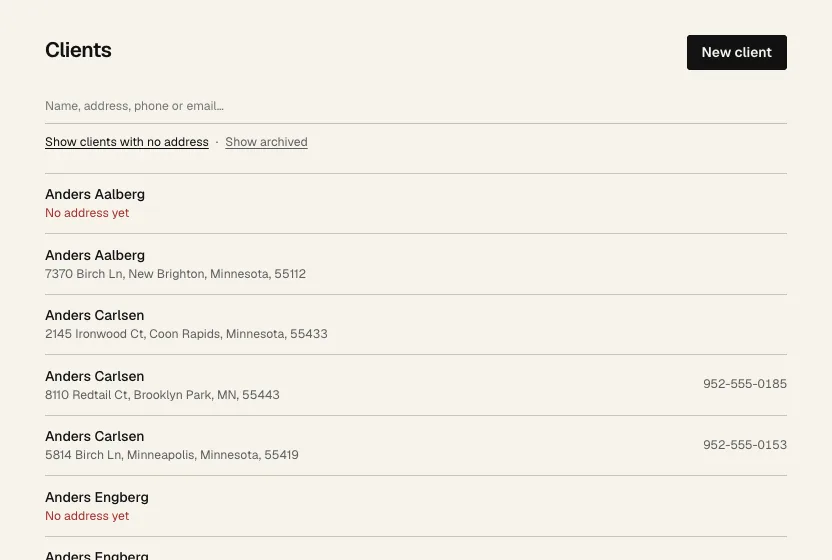
- 1 Click Clients, then New client.
- Fill in the name, phone numbers and emails (one per line), and the first address.
- Access notes are things like gate codes. The crew sees them on every visit.
- Click Save client.
- 2 Search by name, address, phone or email.
- 3 Show clients with no address lists the ones you can't book until they have one. Show archived next to it shows clients you've archived.
On a client's page
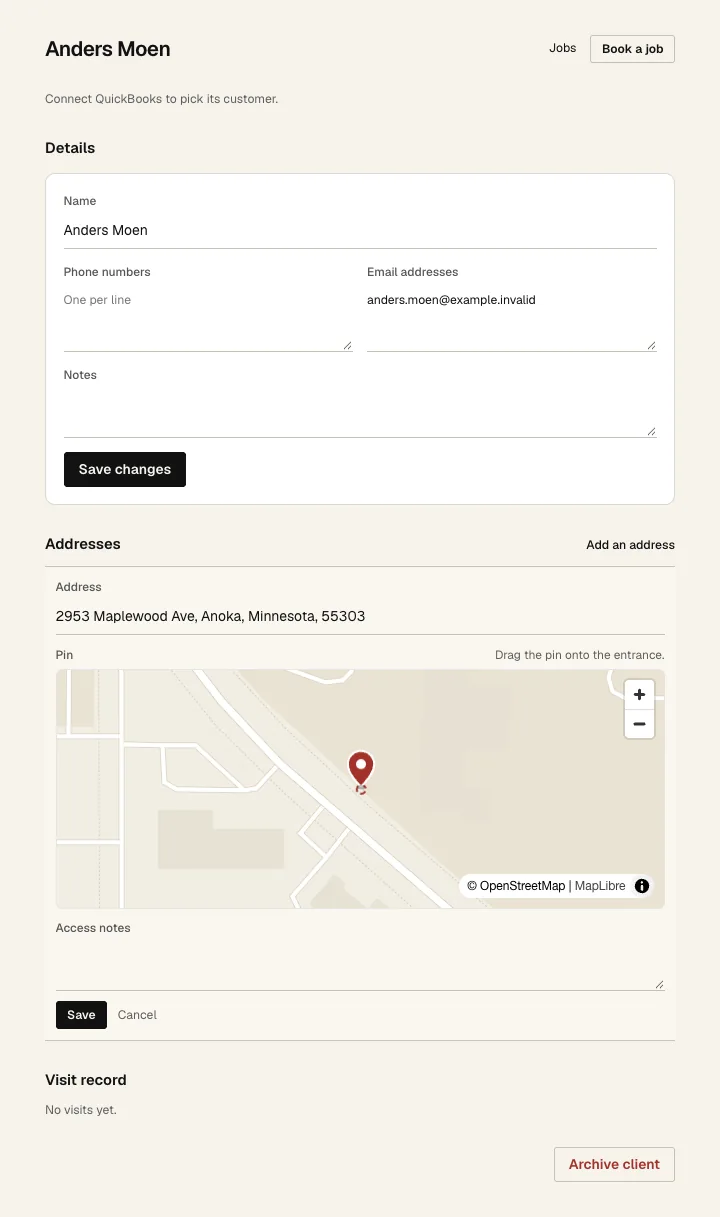
- 1 Change their details and click Save changes.
- 2 Jobs lists this client's jobs. Book a job next to it starts a new job with this client filled in.
- 3 Add an address for clients with more than one property.
- 4 Click Edit on an address to see the pin. Drag it onto the driveway or gate. This is where the crew's phone knows they've arrived.
- 5 Access notes for this address.
- 6 Click Save.
Further down, Visit record shows every past visit, when the crew got there and left, and who was on it.