Put your whole week of work on one board
Give each job to a person and drag the day into order. When the work is done, the invoice goes out through your QuickBooks.
Illustrative example.
The app your crew carries
On iPhone and Android. It keeps working on a bad signal and catches up when the phone does.


The help guides walk through every screen.
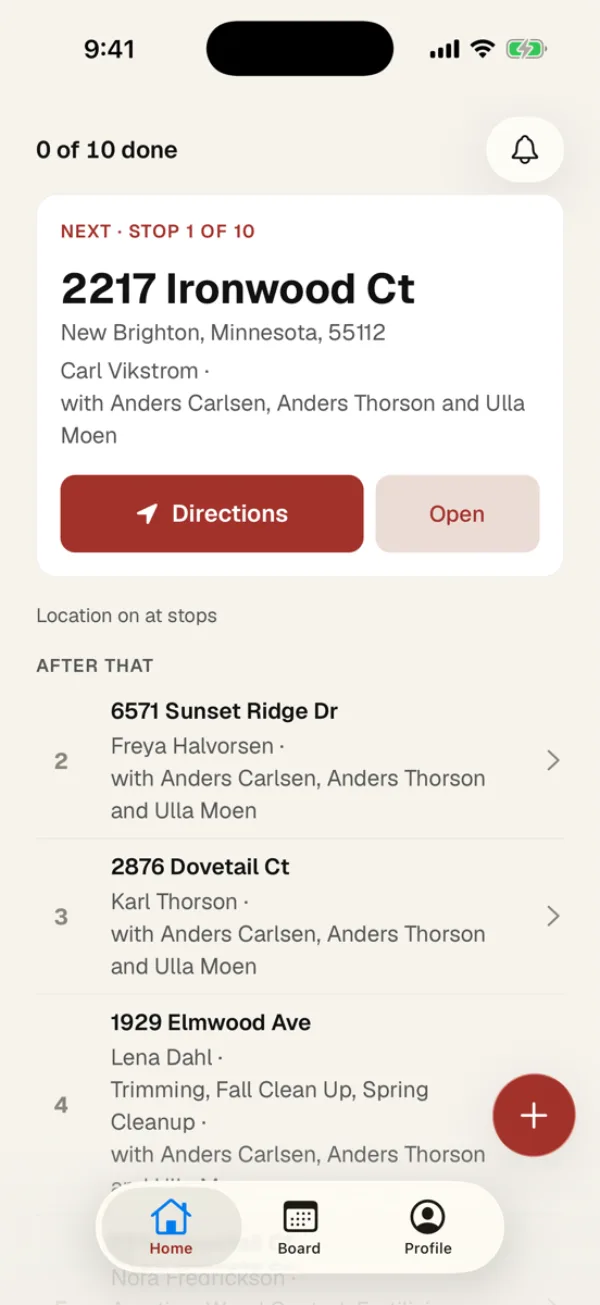
Today's stops in driving order
Every crew member has their own list for the day.
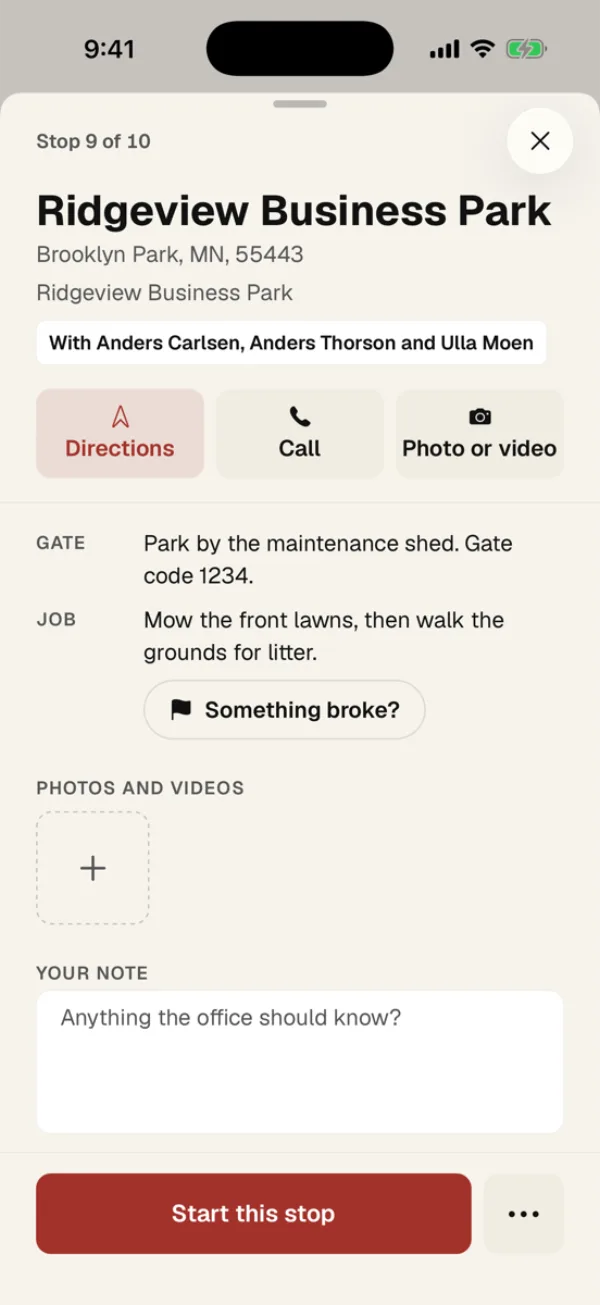
Gate codes and notes on every stop
The address and directions are on the same screen.
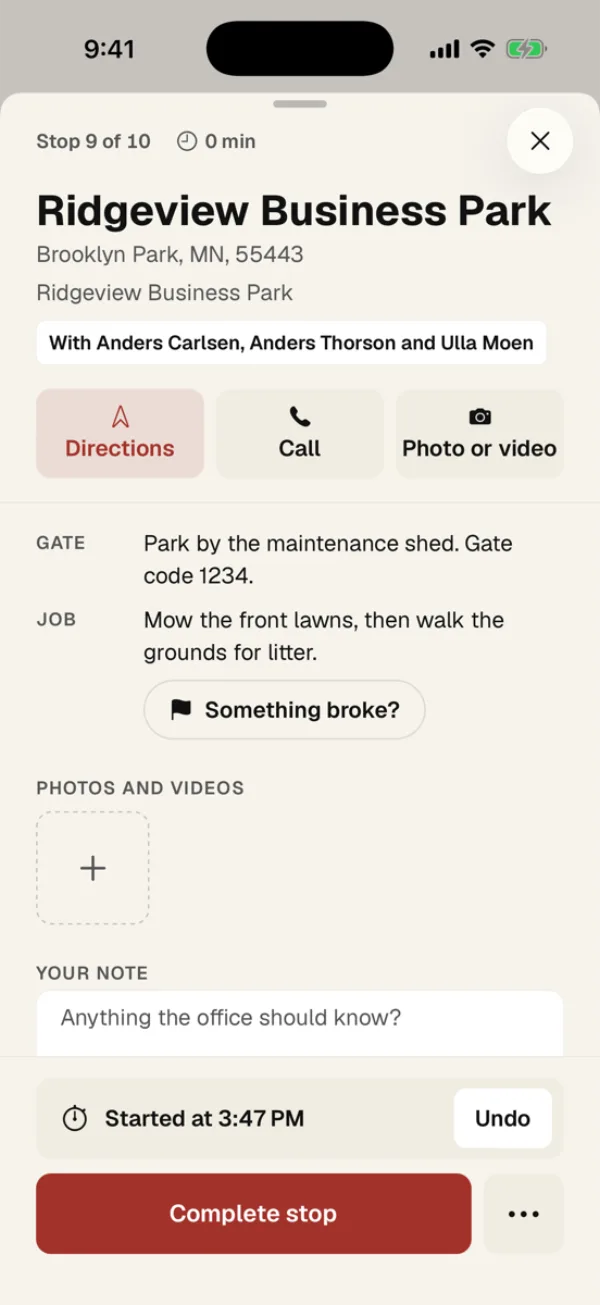
The timer starts when they pull up
And the stop gets marked done when they drive off.
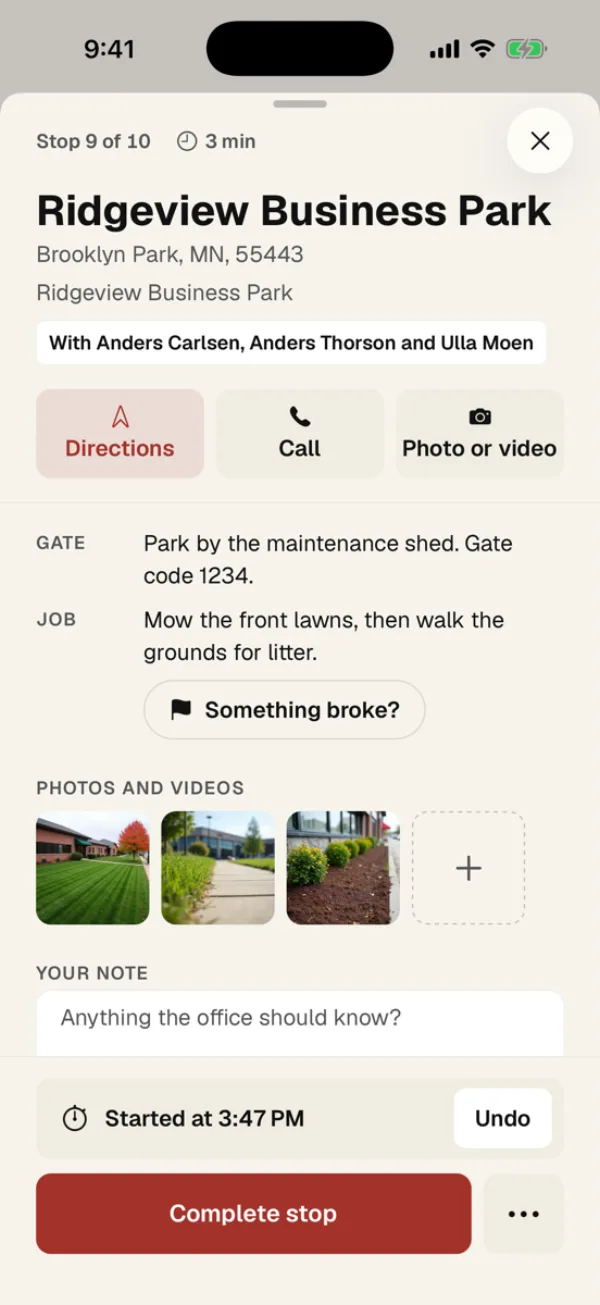
Photos and videos of the work
They upload on their own once the phone has signal again.
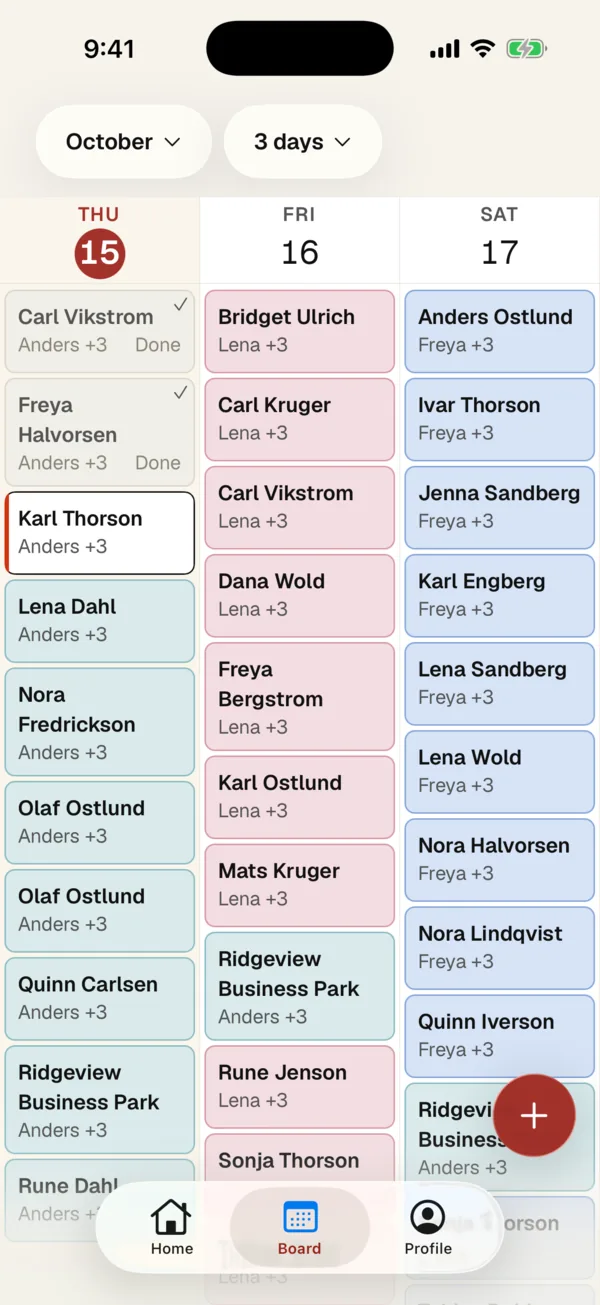
Move stops around on the Board
Drag a stop to another day or another crew.
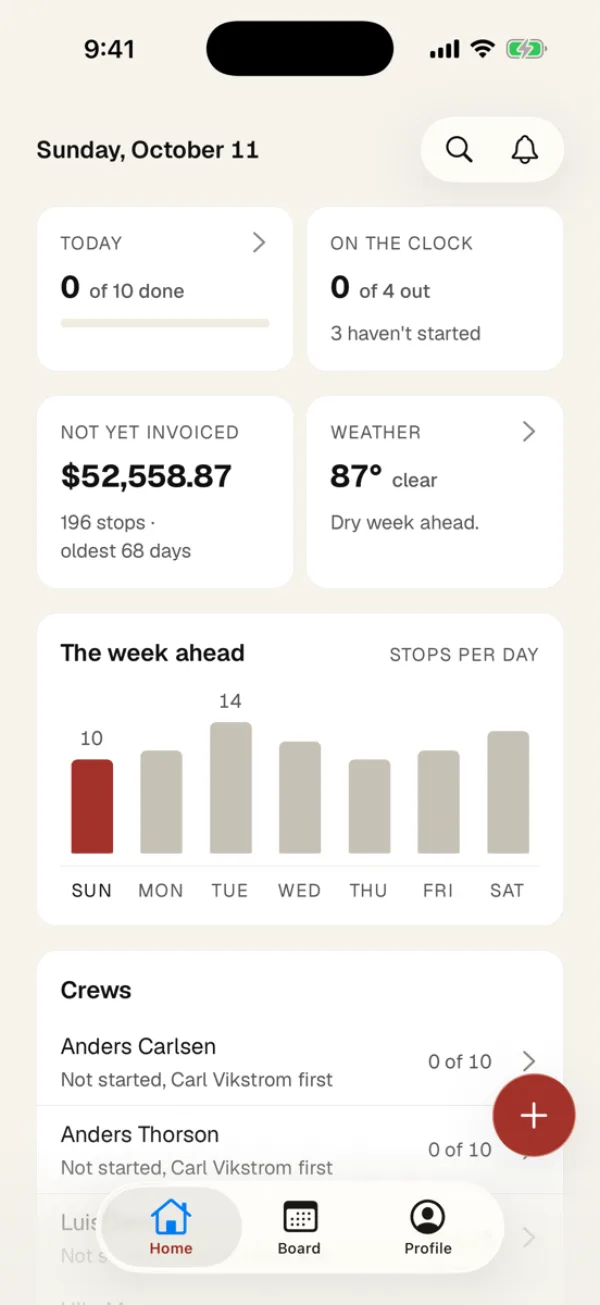
The owner's view of today
How many stops are done and what still needs an invoice.
How Dispatch works
The week goes on the board.
Recurring jobs turn into visits on their own, four weeks ahead. They can repeat weekly, every other week, monthly or on the weekdays you pick, and a season can start and stop them. One-offs go in beside them, and anything nobody is on yet waits in one lane.
You move work by dragging it.
The week view shows the load per day, so an overloaded Thursday is visible on Monday. Drag a visit to another day or another person, or up and down to reorder the day. Whoever's work moved gets a notification on their phone.
Finished work becomes an invoice.
You build the invoice from finished visits, and QuickBooks sends it and collects it. Your books never move, and we never touch payment processing.
What's included
- A day and week board where you assign work and drag it into order
- Recurring jobs that can start and stop with the season
- We move your clients and properties over from what you use now
- A notification on someone's phone when their work moves
- Invoices built from finished work and sent through your QuickBooks
- We answer support emails and texts within one business day
Common questions
Can I move my data over?
We move it for you, whether you are coming off Jobber, Housecall Pro, something older, or a spreadsheet. You tell us what you are on today, we take your data across and set it up, and you check it before you rely on it. You won't spend a weekend exporting files and rebuilding schedules by hand.
Why doesn't it do invoicing itself?
Because QuickBooks already does, and two systems that both think they own an invoice is where the usual sync problems come from, like duplicate customers and tax settings that fight each other. We compose the invoice from completed work and QuickBooks creates, sends, and collects it. Your books stay in one place.
What kind of business is this for?
Any business that assigns work to people and wants the week in one place. The board does not know or care what the work is: a client has properties, a job happens once or repeats on a schedule, a visit lands on a day with a person and an order, and someone marks it done with a photo. Your services are yours to name and price, so a monthly service plan is set up the same way a weekly visit is.
Does it work for crew or technician scheduling at a small business?
Yes. Whether you call them crews, techs or teams, each person sees their own day on the phone app, in order, with the address, gate codes and notes for every job. The office books jobs on the board and drags them between people and days, and the people whose day changed get a notification. It's priced flat per company rather than per seat, which suits a small business whose headcount moves with the season.
How long until I'm using it?
Most customers are live in two to three weeks from signed agreement.
Will this work with the tools we already use?
Yes. Our products connect to the systems your team already uses: Google Workspace, CRMs, calendars, Slack, email, and other common business tools.
What if I want to cancel?
Cancel anytime with reasonable notice. We'll export your data and hand back anything we run for you, like a website or phone number. The rest stays yours.
Where does our data live?
Your data stays yours. It's encrypted in transit and at rest, isolated from every other customer, and never used to train AI models, ours or the third-party services we use to deliver the product. Subprocessor list available on request. Full details in our privacy policy.
Get in touch
Tell us about your business and where the hours go. A real person reads every note, and we reply within a day or two.