Check how today is going
The page you land on. A quick check of the day.
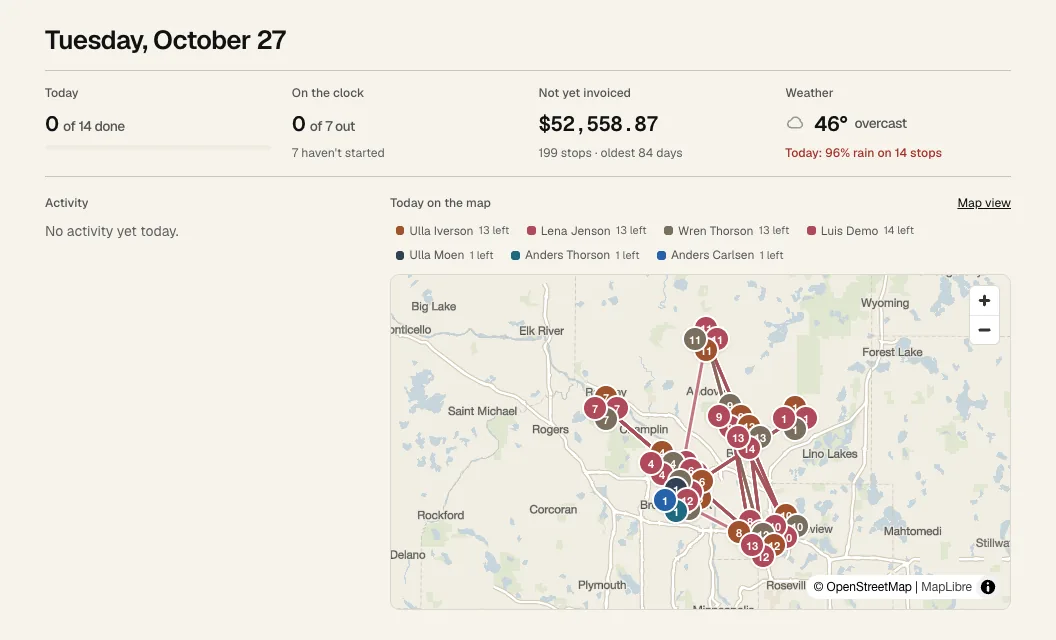
- 1 Today: how many stops are done, plus issues and anything unassigned. Click it to open the board.
- 2 On the clock: who has started their day and who hasn't. Click it for Timesheets.
- 3 Not yet invoiced: finished work you haven't billed. Owners only. Click it for Invoices.
- 4 Weather: rain chances on days you have stops.
- 5 Activity: live feed of what the crew is doing. Issues show in red. Click a line to see that stop.
- 6 Today's routes on a map. Map view opens the board's map.