Set up services and prices
Your price list, what each service needs, and photo rules.
Open Settings, then Services.
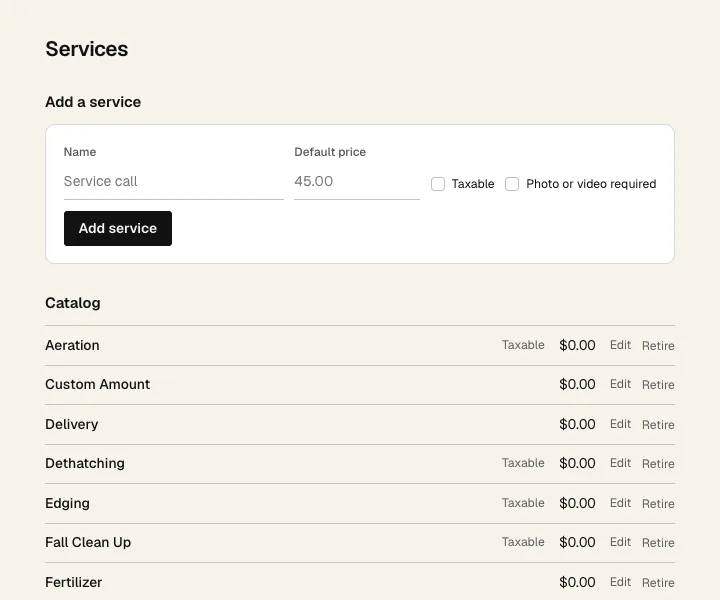
- 1 Add a service: give it a name.
- 2 A default price. Each job can change it.
- 3 Check Taxable if you charge tax on it. Check Photo or video required if the crew has to send proof before they can complete it.
- 4 Click Add service.
- 5 The Catalog lists them all. Edit changes one, Retire takes it off new jobs. Once you've added tools (below), each service gets a Bring line with the tools it needs. Those tools show up on the crew's phone for every stop with that service.
Tools
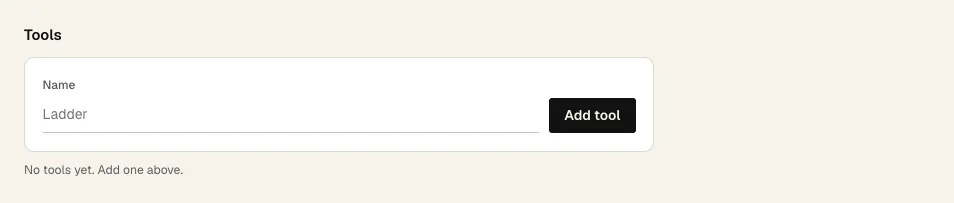
- 1 Tools at the bottom is the list of tool kinds: hedge trimmer, blower, chipper.
- 2 Type a name and click Add tool. Then add it to a service's Bring.