Skip a stop or report a problem
Skip a stop, report an issue, or pass along a customer request.
Skip a stop or report an issue
On the stop, tap ⋯, then Something's wrong.
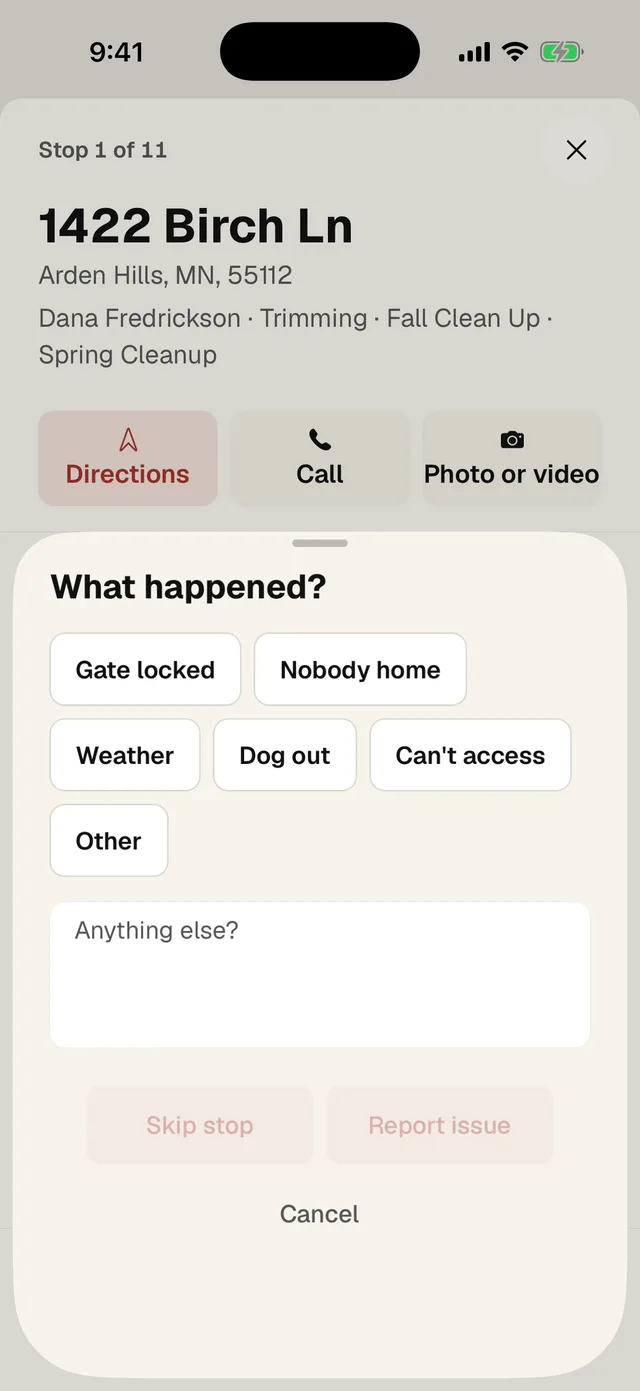
- 1 Pick what happened: Gate locked, Nobody home, Weather, Dog out, Can't access or Other.
- 2 Add a few words if it helps. Other needs words.
- 3 Skip stop means you didn't do it today and the office doesn't need to do anything.
- 4 Report issue means someone in the office needs to look. They get a notification right away.
When the office handles it, you get a notification that says Sorted. If the gate opens later, you can still go back, start the stop and complete it.
The customer asked for something extra
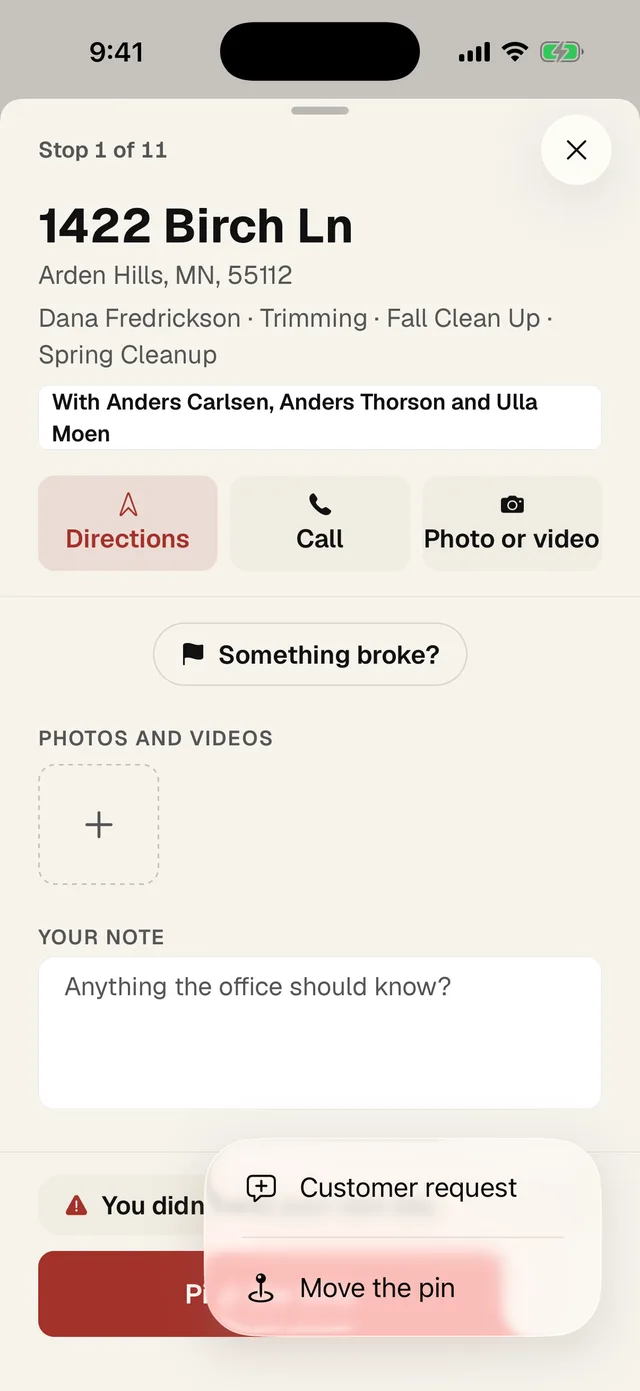
- 1 Tap ⋯, then Customer request.
- Type what they want, like "wants the tree by the gate gone", and tap Send to the office.
The pin is in the wrong spot
If the map sends you to the road and not the driveway, fix the pin so the next crew gets it right.
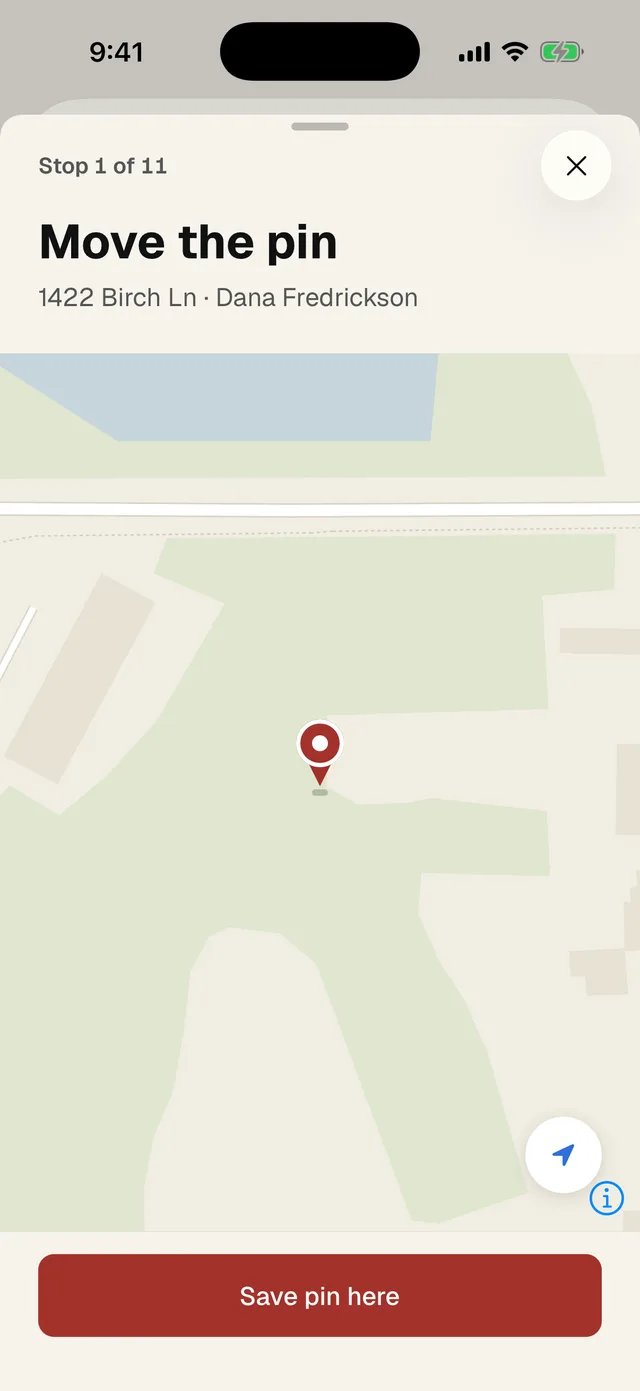
- Tap ⋯, then Move the pin (number 2 in the menu above).
- 1 Drag the map until the entrance is under the pin.
- 2 This button jumps to where you're standing.
- 3 Tap Save pin here.