Check timesheets
Hours per person per day, and time on stops.
Open the People menu, then Timesheets.
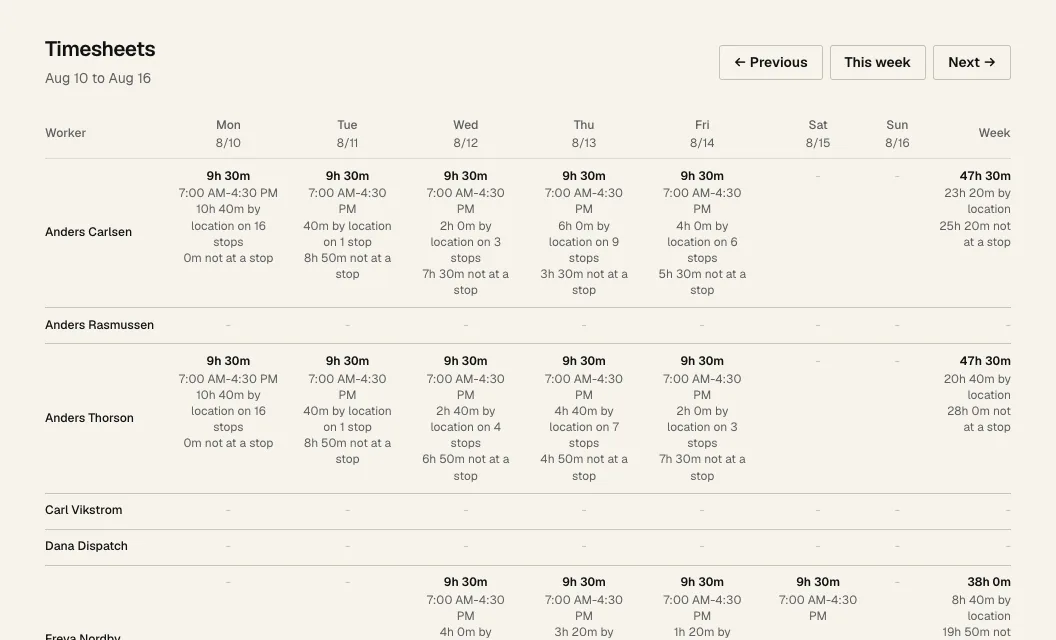
- 1 Move between weeks.
- 2 Each day shows the hours from Start day to End day in big numbers, with the start and end times. Under that: time on stops, and time not at a stop.
- 3 Week is the total.
- open means they never ended that day. It isn't counted in the week total until they fix it on their phone.
- By location is time their phone was at a stop. On stops is their stop timers.
- Dispatch records hours. It doesn't do payroll.